Let one AI lead
run a team for you
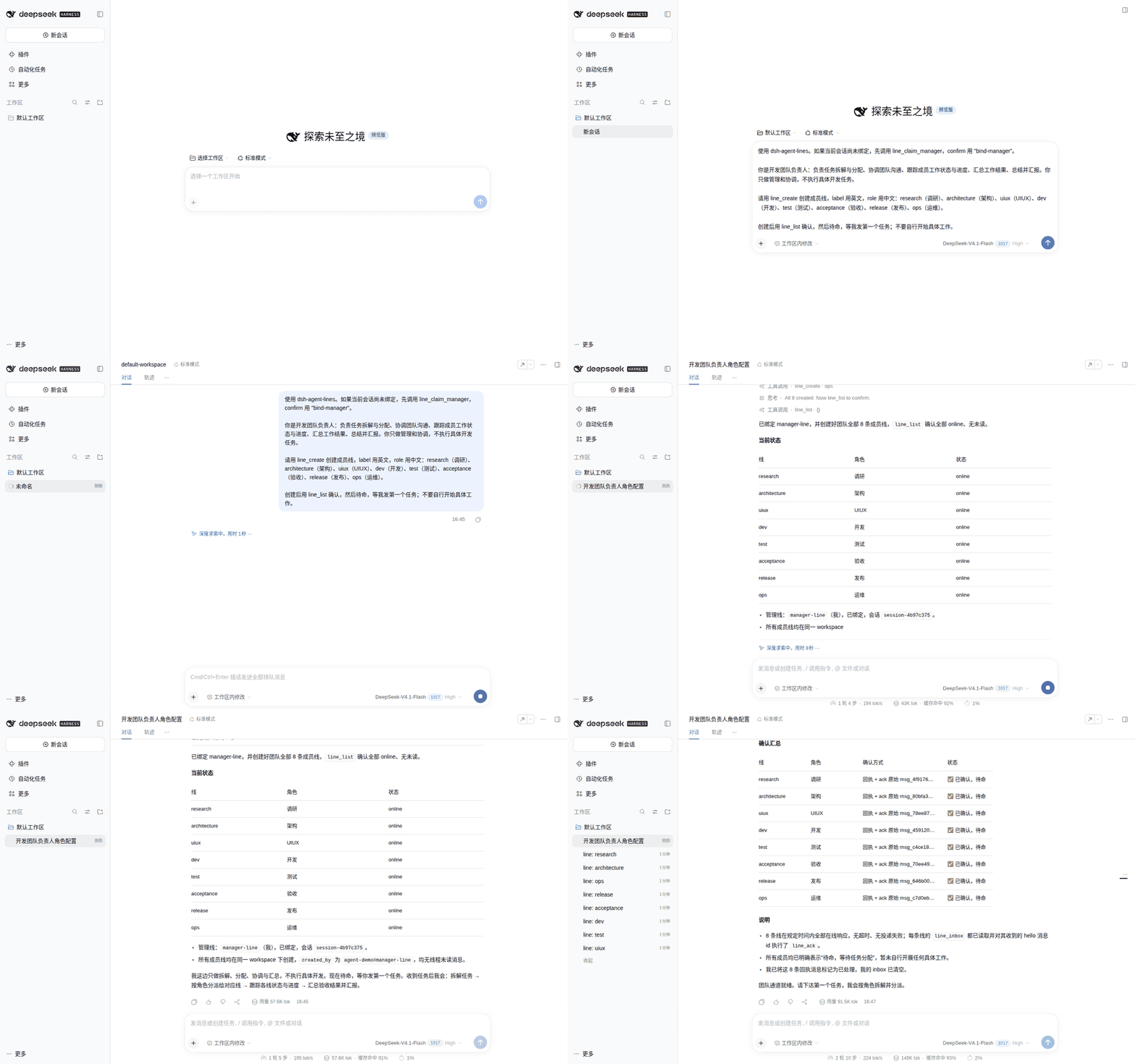
You state the goal. The lead splits it into research, architecture, UI, development, test, acceptance, release, and ops lines; assigns work, tracks progress, and reports back. Close the window or restart DSH; the work and messages remain.
What it takes off your plate
Each member line is a long-lived DSH Session with its own context. Send new work to the right role instead of re-explaining the project.
The lead decomposes work, assigns it, coordinates, resolves disagreements, and collects results. You read the summary.
Tasks and messages are stored locally. Restart DSH and continue; member state and unread messages are still there.
Built for long-running projects and multi-role work. For a one-off subtask, DSH's built-in subagent / Agent Teams is simpler.
A real usage pattern
“Add CSV export to the reports page, with tests and a short runbook.”
Split into research, architecture, UI/UX, development, test, acceptance, release, and ops; create each line.
Members do their parts; the lead tracks progress, resolves interface disagreements, and reassigns when needed.
The lead reports conclusions, file paths, risks, and open questions. You do not chase every member yourself.
First use: let the lead form the team
You are the development team lead: own decomposition, assignment, coordination, tracking, and summary.
First bind this Session with line_claim_manager, then use line_create for:
research / architecture / uiux / dev / test / acceptance / release / ops
After creation, confirm with line_list, then wait for my first task.
Restart DSH Web after install or update. Technical details, protocol, and limits: README / architecture. Community plugin, not an official DeepSeek product.